
Posts tagged “wordpress”

I’m not sure if this is a brand-spanking new feature or if I just missed it but using JetPack you can now update WordPress Plugins across all your websites through your WordPress.com My Sites Dashboard. What’s even more interesting is that you can set plugins to auto-update.
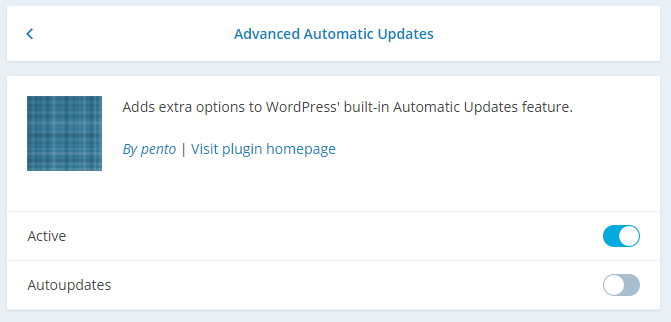
Right now this feature is limited only to Plugins — no updating Themes or the base WordPress installation.WordPress already auto-update (unless disabled) so I doubt this will ever be offered. I wonder if we’ll eventually see the option of updating Themes through WordPress.com.
There are already a few services out there that’ll help you manage all your WordPress websites. Here are a few that I know of in alphabetical order:
More information can be found on the Site Management support page. And be sure to turn on the JSON API.
I can’t change anything when I try to manage my sites on WordPress.com.
You need to enable site management on your Jetpack-connected site from the dashboard by either opting in as mentioned above, or by enabling it under the JSON API settings in Jetpack → Settings → JSON API → Configure and checking the box for the “Allow remote management of themes, plugins, and WordPress via the JSON API” option and saving your changes.
BackupBuddy by iThemes is a wonderfully simple solution for WordPress backup and migration. That is, when it works. On a hunch I decided to check my website backups and discovered that while database backups were fine BackupBuddy was failing to create full website backups. Even worse, emails that were supposed to notify me of the errors were not being delivered.
Yeah, that’s not good.
Now before you jump the gun and completely write-off iThemes, the TL;DR of this post is that there was nothing wrong with BackupBuddy; Acunetix WP Security had added an unreadable file to prevent directory listing. After adjusting some settings I got everything to work again.
iThemes recently held a free two-part webinar discussing WordPress Security. The first video takes an introductory level approach but I still grabbed a couple good tips from it.
The second video talks about the company’s iThemes Security Plugin and also hosts a Q&A session with Chris Wiegman, the developer of iThemes Security, as well as Tony Perez, CEO of Sucuri. Unfortunately the sound was non-existent during Chris’s portion so you might want to skip that section until it’s fixed.
I found Tony’s section particularly interesting as he talks about higher-level approaches to security. He also touches on the wide-spread belief that using a shared host is less secure because you run the risk of other websites on that host being infected or hacked. The tl;dr is this does not happen much today with reputable web hosts (Tony specifically mentions BlueHost, HostGator and GoDaddy as being OK).
Here’s that portion of the video:
https://www.youtube.com/watch?v=RyI8eXXAIY4&list=UUhPXycSAGDUzBF-xMzMq6uA/#t=1h30m50s
Today I learned that there is a Malay translation of WordPress… version 2.9.2. Last updated on 24 November 2011.
Let’s just stick with the official releases, yeah?

Sometimes well-meaning security tweaks to your website can actually inhibit, or even outright kill, intended functionality. It is imperative web developers understand what they are trying to achieve and the different ways to get there.
I ran a test update on a client’s WordPress website using our test environment and was surprised to see that updating to WordPress 3.8.1 killed all permalinks. Not good. The website used WooCommerce and after some investigation I managed to find a work-around: completely delete WooCommerce and re-install it. This will require you to reconfigure WooCommerce in the back-end Administration. None of my products appeared to have been touched so that’s a plus.
As of writing, WooCommerce is officially compatible with WordPress up to 3.7.1 with 4 people saying the plugin is broken in 3.8.1. That ought to be sufficient warning but the support forum only has a couple complaints. One thread even identified the issue as a conflict with Yoast SEO.
I figure there must have been some conflict with the page routing because not only were WooCommerce pages throwing a 404 but ordinary WordPress pages were as well. When I fell back on WordPress’ default hyperlink structure, everything was hunky-dory. Since Yoast SEO also has options affecting permalink structure, I wouldn’t be surprised if this and plugins like it would further complicate the issue.
If your WordPress website is using permalinks and you find that updating to 3.8.1 causes pages to throw 404 errors, I hope this helps you.
When rolling out a News Section on a WordPress website, would it be better to use a Custom Post Type?
Social Media Links